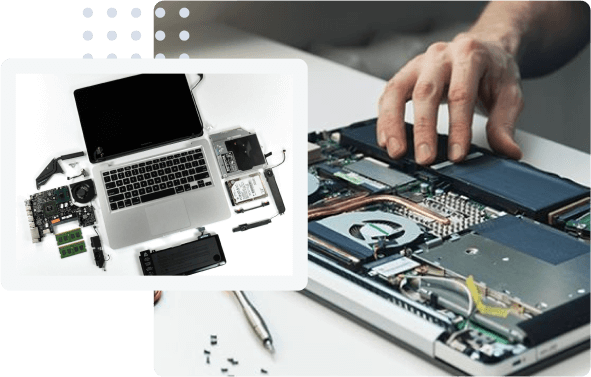
MacBooks are known for their premium design, reliable performance, and advanced technology. They are widely used by students, professionals, business owners, and creative experts who depend on their laptops for everyday tasks. However, even a high-quality device can experience unexpected breakdowns. Issues such as a blank screen, battery failure, overheating, liquid damage, keyboard malfunction, or sudden system crashes can interrupt work and cause considerable frustration. In these situations, professional repair support becomes essential.
Top macbook repair and services help users identify technical problems, restore device functionality, and minimize downtime. Through systematic diagnosis, specialized tools, quality replacement parts, and experienced technicians, professional repair providers can address many common and complex MacBook problems. Understanding how these services handle unexpected breakdowns helps users make informed decisions and protect their valuable devices.
Understanding the Cause of a MacBook Breakdown
The first step in professional MacBook repair is identifying the underlying cause of the problem. A laptop that suddenly stops working may have a software issue, a damaged charging port, a failing battery, or a hardware component that requires attention.
Experienced technicians begin by asking about the symptoms, recent changes, and circumstances surrounding the breakdown. For example, they may ask whether the device was dropped, exposed to moisture, updated recently, or showing signs of overheating before it stopped working.
After gathering this information, technicians conduct preliminary checks and perform appropriate diagnostic tests. These procedures help distinguish between hardware failures and software-related problems. Accurate diagnosis is important because replacing parts without understanding the root cause can waste money and fail to resolve the issue.
Performing Comprehensive Diagnostic Tests
Professional repair centers use structured diagnostic procedures to examine a MacBook’s condition. Depending on the symptoms, these checks may include battery health, charging performance, display operation, memory, storage, ports, and internal components.
Identifying Hardware Problems
Hardware failures can affect a MacBook in several ways. A damaged display may produce flickering images, unusual lines, or a completely black screen. Battery problems can cause rapid power loss, unexpected shutdowns, or charging difficulties. Keyboard and trackpad failures may prevent users from interacting with the device properly.
Technicians inspect the affected components and determine whether repair, replacement, or additional testing is necessary. They may also check the logic board, cooling system, internal connectors, and charging circuitry when symptoms indicate deeper hardware damage.
Detecting Software and Operating System Errors
Not every breakdown requires physical repairs. Corrupted system files, incompatible applications, storage limitations, and operating system errors can cause freezing, slow performance, or repeated restarts.
Repair professionals investigate these possibilities before recommending expensive hardware replacements. Depending on the issue, they may use built-in diagnostic tools, review system logs, check available storage, or troubleshoot startup problems. This approach helps ensure that the recommended solution addresses the actual cause of the malfunction.
Responding Quickly to Urgent Repair Requests
Unexpected laptop failures often occur at inconvenient times. A MacBook may stop working before an important presentation, during a business project, or while a student is preparing an assignment. Professional repair services understand that restoring access quickly can be just as important as fixing the technical problem.
Assessing the Urgency of the Breakdown
Repair centers typically evaluate the severity of each issue and determine which cases require immediate attention. A laptop that cannot power on may need urgent diagnosis, while a minor software problem might be resolved through a scheduled service appointment.
Some providers offer same-day diagnostics or selected express repairs, depending on technician availability, the complexity of the fault, and the availability of replacement parts. However, not every repair can be completed immediately, particularly when advanced component-level work is required.
Communicating Realistic Repair Timelines
Clear communication helps customers plan around an unexpected breakdown. Technicians should explain the likely cause, the recommended repair, estimated costs, and expected completion time before proceeding with significant work.
If additional damage is discovered during the repair, the service provider should inform the customer and obtain approval before performing extra work. Transparent communication reduces uncertainty and helps customers understand what to expect throughout the process.
Protecting Important Data During Repairs
One of the biggest concerns during a MacBook breakdown is the possible loss of important files. Documents, photographs, business records, creative projects, and personal information may be stored on the device.
Professional repair providers recognize the importance of data protection and should handle customer information responsibly.
Evaluating Data Recovery Options
If a MacBook fails to start, technicians may investigate whether the problem affects the storage device, operating system, power supply, or another component. When storage remains accessible, creating a backup before performing invasive troubleshooting is preferable whenever possible.
If the device contains important files and no backup exists, customers should inform the technician before authorizing repairs that could erase data. Depending on the MacBook model and the nature of the fault, recovery options may be limited, particularly when encryption or storage hardware damage is involved.
Maintaining Privacy and Security
Customers should ask how their information will be protected during the repair process. Reputable providers limit unnecessary access to personal files, explain when account access is required, and follow appropriate privacy procedures.
It is also important to understand that certain repairs, operating system reinstalls, or logic board replacements can affect data availability. Maintaining regular backups through Time Machine or another suitable backup solution can significantly reduce the risk of permanent data loss.
Handling Liquid Damage and Physical Accidents
Liquid spills and accidental drops are among the most stressful MacBook emergencies. Coffee, water, and other liquids can damage internal circuits, connectors, keyboards, and power-related components. Physical impacts can affect displays, hinges, ports, and internal connections.
When liquid damage occurs, users should disconnect power if it is safe to do so, shut down the MacBook, and avoid attempting to charge or restart it. They should also avoid using a hair dryer or applying heat, as this can worsen the damage.
Professional technicians inspect the device for visible and internal signs of liquid exposure. Depending on the damage, they may need to examine the logic board, clean affected components using appropriate methods, and replace parts that cannot be restored reliably.
For physical damage, technicians assess the condition of the enclosure, screen, hinges, and internal mounting points. Their goal is to determine which components can be repaired and which require replacement while avoiding unnecessary work.
Using Suitable Replacement Parts and Specialized Tools
MacBooks contain compact, carefully integrated components that require appropriate tools and technical knowledge. Attempting repairs without the correct equipment can damage delicate connectors, cables, batteries, and circuit boards.
Reliable repair services use model-appropriate tools and follow suitable repair procedures. Depending on the issue, the work may involve battery replacement, display repair, keyboard servicing, port repair, cooling system maintenance, or component-level logic board troubleshooting.
Replacement part quality also matters. Customers should ask whether the proposed parts are genuine Apple parts, approved service parts, or compatible alternatives. Availability and repair options vary by model, and some components may have software configuration or calibration requirements.
A professional provider explains these differences clearly instead of making unsupported promises about part quality or long-term performance.
Testing the MacBook Before Returning It
Completing a repair is only part of the process. A MacBook should also undergo appropriate testing to confirm that the original problem has been addressed and that related functions operate correctly.
For example, a battery replacement may be followed by charging and power checks. A display repair may require testing brightness, image quality, and screen functionality. Keyboard servicing may involve checking individual keys, while charging port repairs may require verification with compatible power equipment.
Technicians may also check temperatures, fan operation, startup behavior, wireless connectivity, and other functions relevant to the reported fault. The exact testing process depends on the type of repair and the MacBook model.
Before collecting the device, customers should confirm that the original issue has been resolved and ask about any remaining limitations, repair warranties, or recommended follow-up steps.
Choosing the Right MacBook Repair Service
Selecting a suitable repair provider can make a significant difference when a laptop fails unexpectedly. Customers should look for technicians with relevant MacBook repair experience, clear diagnostic procedures, transparent pricing, and responsible data-handling practices.
It is useful to review customer feedback, ask about estimated turnaround times, and confirm whether the provider offers a written repair warranty. Customers should also request an explanation of the proposed repair and whether less expensive alternatives are available.
For devices covered by AppleCare or an existing warranty, checking Apple’s support options and authorized service providers may be worthwhile. Unauthorized repairs or unsuitable replacement parts can affect available service coverage, depending on the circumstances and applicable terms.
The best repair choice is not necessarily the cheapest option. Reliable diagnosis, appropriate parts, careful workmanship, and clear communication can provide better long-term value.
Preventing Future MacBook Breakdowns
Although professional repair services can resolve many technical problems, preventive maintenance remains important. Users can reduce the likelihood of unexpected failures by keeping macOS updated, avoiding untrusted applications, maintaining sufficient storage space, and monitoring battery health.
Using a protective case, keeping liquids away from the laptop, and transporting it in a padded bag can help prevent physical damage. Users should also avoid blocking ventilation areas and should keep the device away from excessive heat.
Regular backups are especially important because even well-maintained electronics can fail without warning. A reliable backup routine makes it easier to recover essential information if a device becomes unusable.
Conclusion
Unexpected MacBook breakdowns can disrupt professional responsibilities, education, and personal activities. However, a systematic repair process can help restore functionality while reducing unnecessary expenses and downtime.
Top macbook repair and services handle these situations through accurate diagnostics, urgent repair assessment, careful data protection, specialized tools, appropriate replacement parts, and thorough testing. By choosing an experienced repair provider and following sensible maintenance practices, MacBook users can address technical problems more confidently and improve the chances of keeping their devices dependable for years to come.